
Small but Noteworthy
Set Visual Preferences for Sheets
Administrators can use the new display setting to increase the contrast of all sheets for the entire instance. Grid lines and colors appear darker, so it's easier to view sheets on projectors. Go to
Administration
> Visual Preferences
and select the Enhance the visual contrast in sheets
checkbox.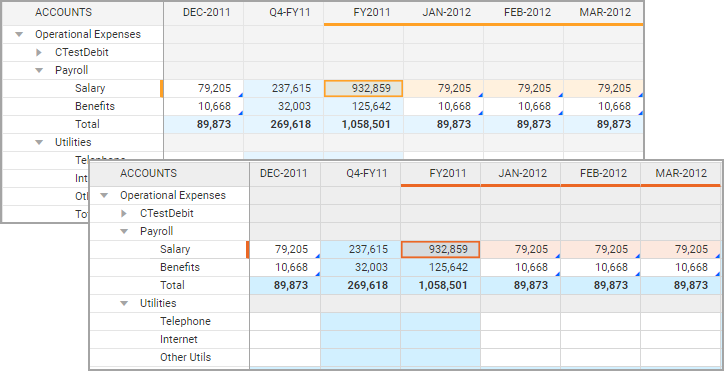
Modeled Sheet Enhancements
- Clearing data in a modeled sheet cells now results in blanks instead of zeros for number type columns. This improves calculations and reporting data. Right-click a cell and selectClear. See Reference: Clearing Data in Cells.
- Downloading is only available for 1.5 million cells or less. If the download button is inactive, use filters to reduce the sheet size.
The current download max for cells in modeled sheets is 5 million cells.
Additional Memory Limit for Reports
For web reports, there is now an additional memory limit and users get an error message if a report exceeds this limit. Report runners can modify a report to reduce the number of elements and rerun it.
Previously, when creating reports, the existing limits did not consider certain conditions. This led to a report becoming unresponsive if it crossed the allocated memory.