
Student Waivers
Overview
In this chapter, you will learn how to manage student waivers in Workday Student Financials. A waiver is a type of payment or discount for which a student qualifies. You can:
- Award student waivers to university employees, graduate assistants, or students that enroll in special programs.
- Create student waivers that waive a charge item payment or discount an amount of a charge item.
Workday automatically calculates and records waivers when nightly orchestration runs the charge assessment job during overnight updates. You can either:
- Let Workday automatically calculate and record a student waiver in a student's account for you, or
- Manually record a student waiver in a student's account yourself.
Objectives
By the end of this chapter, you will be able to:
- Describe the student waiver configuration.
- Create a student waiver.
- Post a student waiver to the student's account.
Create Student Waivers
Create a waiver item for each waiver or discount available to students. Each academic unit has its own waiver items. Workday can post waivers to student accounts when it assigns student charge items or when you use the
Record Student Waiver
task.Create a waiver using the
Create Student Waiver Item
task. Waivers must have a precedence group, which controls the charges the waiver can offset. Waivers must also have a spend category, which is a worktag used for aggregate reporting of expenses associated with waivers. It is also a dimension used on posting rules to drive the ledger accounting. The journal account lines will combine for any Student Waiver Payments with funding lines that have the same worktags and different spend categories.Note
: You have the option to direct spend to a company that is not associated with the academic unit using the Override Spend Company field. You can select from companies within the same hierarchy as the company of the institutional academic unit. If transactions exist for the student waiver item, you cannot edit this field.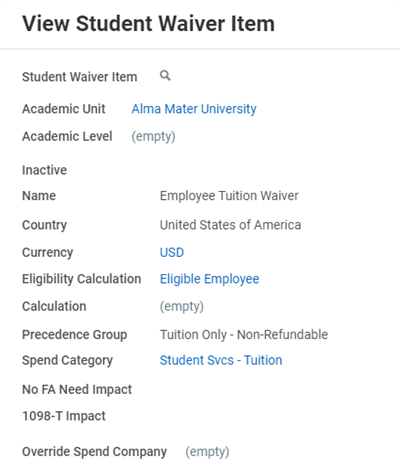
A sample student waiver item for an Employee Tuition Waiver.
After creating your waiver, configure the waiver item rule. Use the
Create Student Waiver Item Rule
task to add waiver amount rules. You can select charge items tied to particular charge types and indicate the percentage that the waiver will cover. If the waiver amount is not calculated as a percentage of a charge item(s), use the Calculation field. You can review existing rules with the View Student Waiver Item Rule
report. Use the Edit Student Waiver Item Rule
task to edit an existing rule.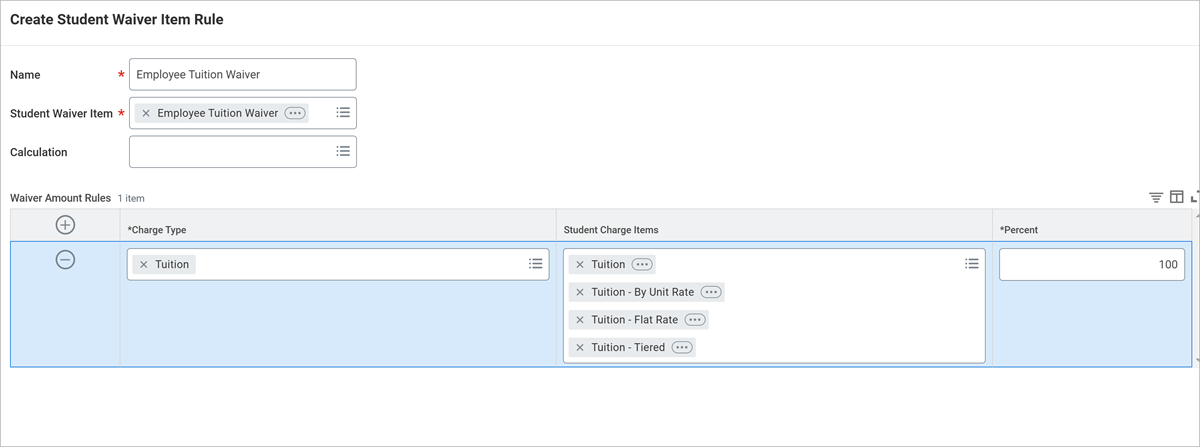
Finally, use the
Maintain Student Waiver Item Assignments
task to configure the waivier eligibility crieria. Workday only assigns waiver payments to eligible students with a correct academic unit or program of study configuration specified on the assignment policy. You can use the View Student Waiver Item Assignments
report to review existing rules.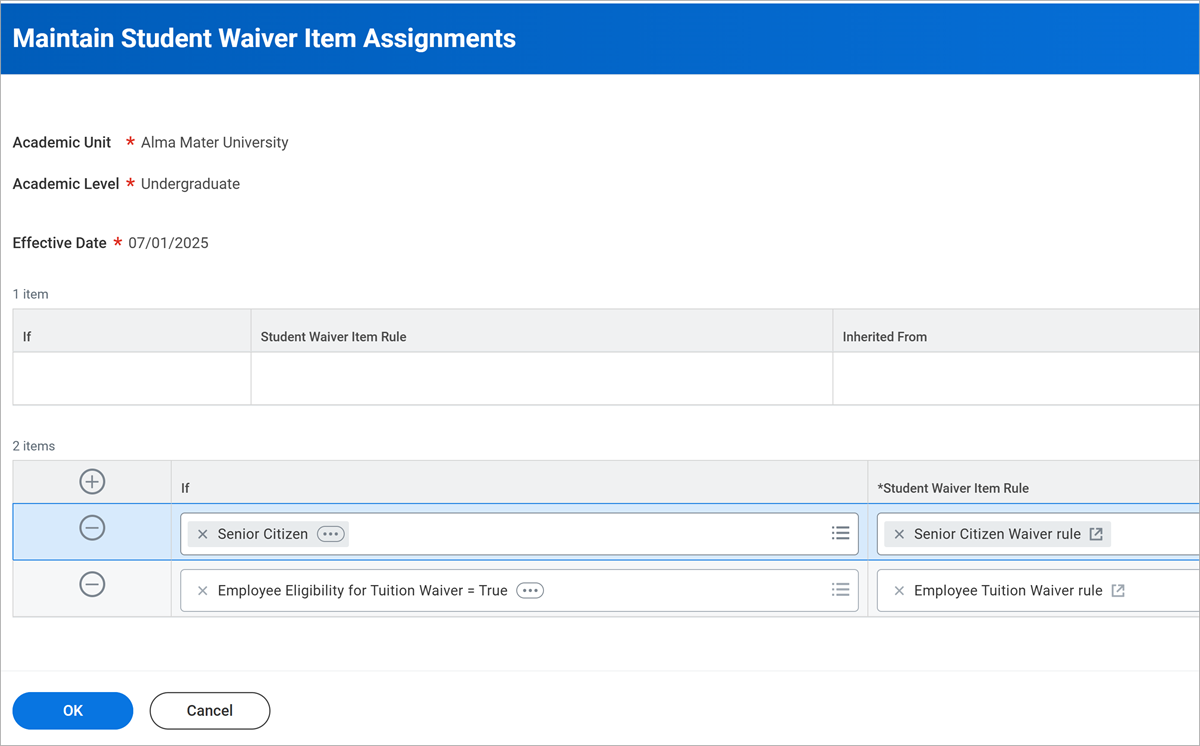
Post Student Waivers
You can post waivers to a student's account manually or automatically. Post them manually with the
Record Student Waiver Payment
task. Workday then routes the waiver for approval according to the Student Waiver Payment Event business process configuration before it applies the precedence rules and creates accounting.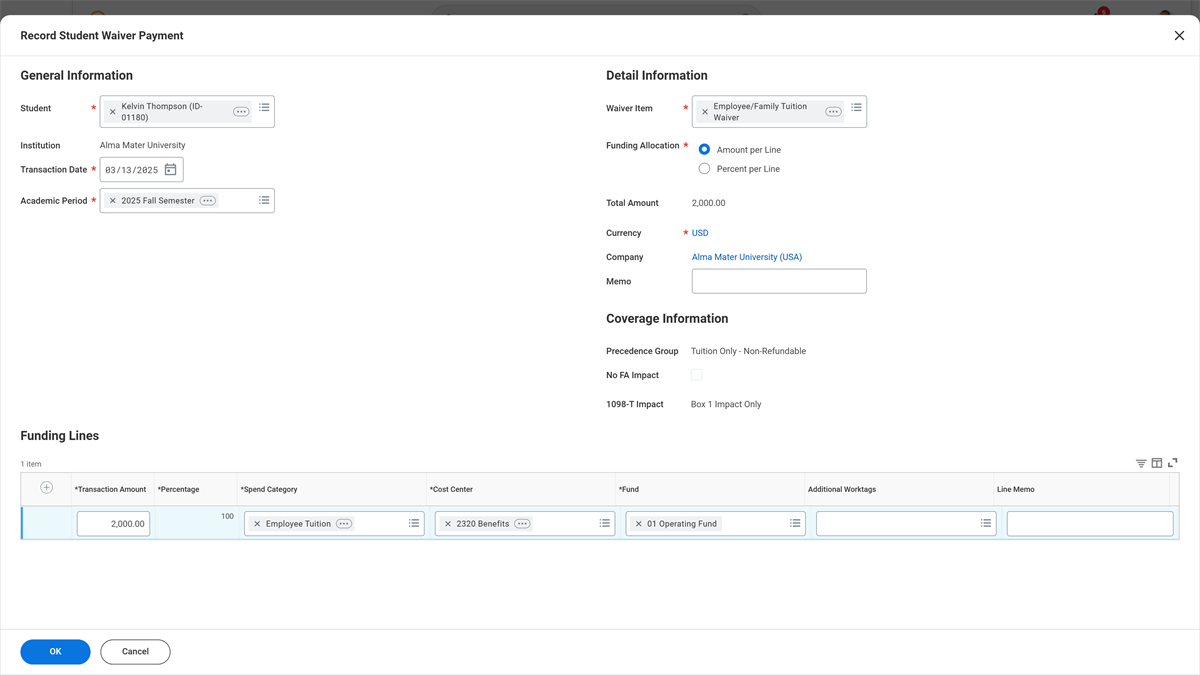
Use the Record Student Waiver task to add a waiver for a particular student.
Post waivers automatically by selecting the Assign Student Charge Items option on the
Run Student Financials Processes by Period
report and leaving the Assign Student Charges and Waivers checkbox selected. Workday then calculates the waiver amount and student eligibility according to the waiver item rules and assignement.