
Rule-Based Security
Overview
Rule-based security groups allow you to apply security rules to a baseline security group to determine membership. You can use this security group type to meet a variety of use cases, including limiting self-service access to a given population. This chapter guides you through the steps to configure rule-based security and studies the primary use cases.
Objectives
By the end of this chapter, you will be able to:
- Configure security rules for use with rule-based security groups.
- Create rule-based security groups to apply membership conditions for needed access.
- Limit self-service tasks to a given population.
Rule-Based Security Groups
Rule-based security groups allow you to use condition rules to determine members. With rule-based security groups, you select an existing baseline security group and configure a membership security rule to, in essence, filter the membership. The baseline security group can be any security group type, except an aggregation, intersection, other rule-based, or segment-based group.
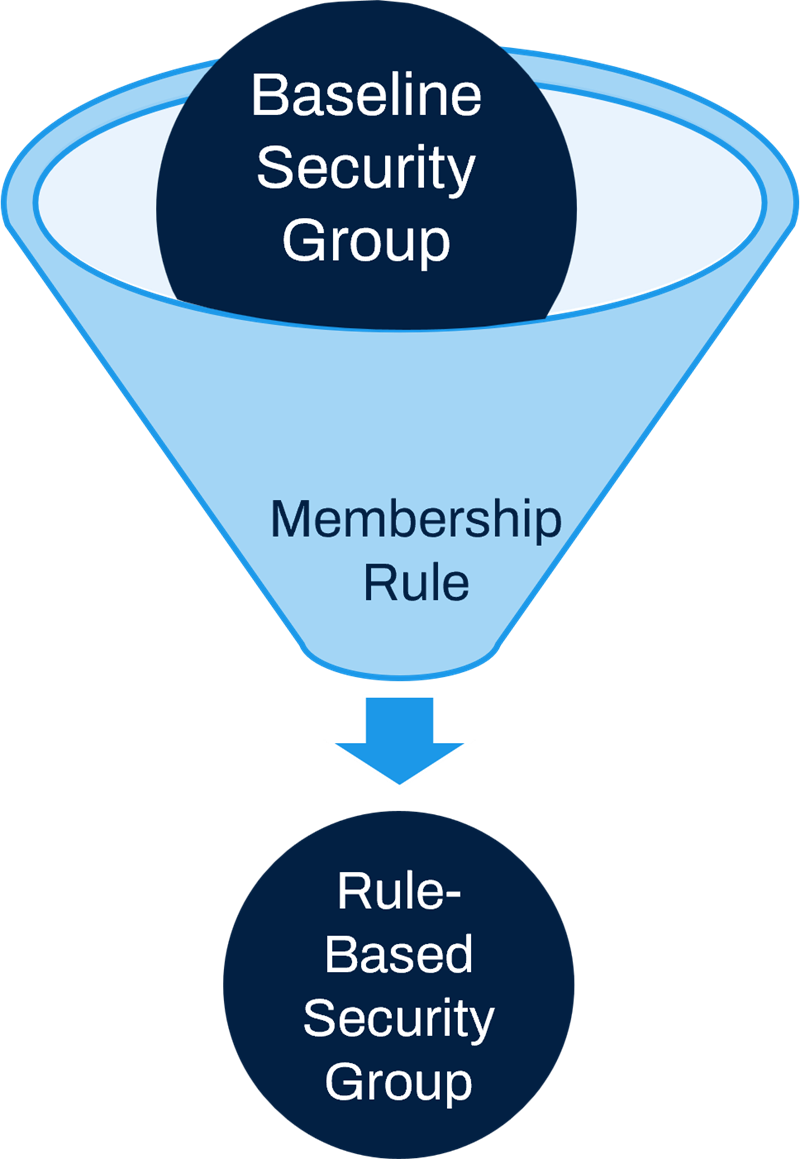
Rule-Based security group: A security rule filters the membership of an existing baseline security group.
Security Rules
Security rules determine membership in rule-based security groups. You can currently create security rules that apply to the Worker, Student, and Extended Enterprise Learner business objects. Workday allows you to access a subset of the report fields on these business objects for use when defining security rule conditions. Use the
Maintain Fields for Security Rules
report to enable available fields prior to creating security rules.Resource
: Search Workday Community for "rule-based" to find the latest documentation.Advantages of Rule-Based Security
With rule-based security groups, you can:
- Modify rule criteria without needing to activate security policy changes.
- Reuse rule criteria in multiple rule-based security groups.
- Use conditional rules that are easy to maintain.
Rule-based security group types should perform better than similar use cases implemented with intersection.
Common Use Cases for Rule-Based Security
Use Case 1:
Scenario: Give your employees who are on leave self-service access.
- Baseline Group: Employee As Self.
- Security Rule: Employee is on leave.
Use Case 2:
Scenario: Allow your nonexempt US employees to clock in and out.
- Baseline Group: Employee As Self.
- Security Rule: Employee is in Country=USA and Employee is not Exempt.
Use Case 3:
Scenario: Allow managers who have active contingent workers in their departments to run reports on contingent workers.
- Baseline Group: Manager.
- Security Rule: At least one contingent worker in manager's department.
Steps to Configure Rule-Based Security
Initial Setup
Before you can use rule-based security groups, you must configure the following domains in the System functional area, if not already configured:
- Set Up: Security Rules
- Security Configuration
Set Up: Security Rules is a new child domain under the Security Administration parent domain, which inherits parent permissions by default.
Steps to Configure Rule-Based Security
The steps to configure rule-based security are as follows:
- Create a membership security rule. You can specify up to five rule conditions on the security rule. You can reuse rules across multiple rule-based security groups.
- Create a rule-based security group. Select an existing baseline security group. Then, select a membership security rule to either include or exclude members of the baseline group.Note: You can also dynamically create your security rule from within theCreate Security Grouptask.
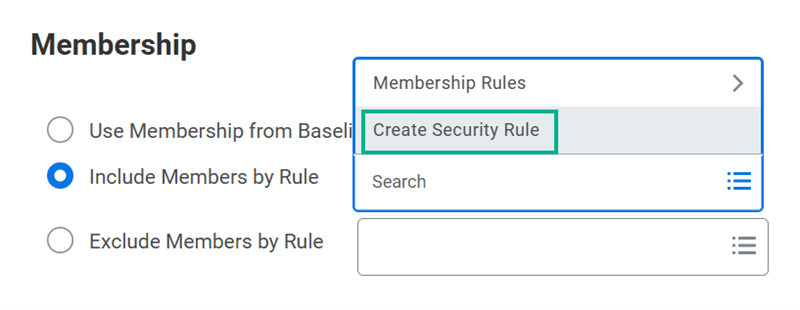 Create a security rule while creating a security group.
 - Edit security policy permissions to include the new security group.
- Activate pending security policy changes.
- Test access. Use theTest Security Rulereport to test a security rule for a specific Workday account. This report displays the results for each condition in your rule so you can easily determine which criterion a rule failed for.
Audit Security Policy Changes
When removing security groups from domain or business process security policies, ensure that you have not negatively impacted any other configurations.
- To determine if you made all the necessary removals and replacements, use the following reports.
- Action Summary for Security Group:Review all the permissions of the original self-service security group to ensure you removed it from applicable policies. Filter by functional area and verify replacements of self-service security groups on all needed security policies.
- Domain Security Policies for Functional Area:Review all the domains for a given functional area to ensure all needed removals and replacements, given the functional requirements.
- Business Process Security Policies for Functional Area: Review all the business process types for a given functional area to ensure all needed removals and replacements, given the functional requirements.
- To determine if the removal of a security group from a security policy has caused adverse impact, do the following:
- Run theBusiness Process Exception Auditreport to ensure no adverse impact from your business process security policy changes to existing business process definitions (e.g., routings).
- Run theSecurity Exception Auditreport to ensure no adverse impacts on landing page configurations.
- Run theCustom Report Exception Auditreport to ensure no adverse impacts on custom report configurations.
- Use theMaintain Dashboardsreport to resolve the worklet configuration for the given landing page.
Chapter 6 Summary
- Rule-based security groups apply condition rules to an existing baseline security group to filter membership.
- Security rules currently only apply to the Worker, Student, and Extended Enterprise Learner business objects.
- You can reuse rule criteria in multiple rule-based security groups.
- To configure security rules and rule-based security groups, you must be in a security group with access to the Set Up: Security Rules domain.