
Wednesday, 24th June
Workday HiredScore Skills Cloud Integration: Supporting Insights and New Filter
Workday HiredScore Skills Cloud Integration: Supporting Insights and New Filter
With this update, we align HiredScore's AI talent orchestration with the Workday Skills Cloud, ensuring a unified skills framework and taxonomy across different components of the recruiting workflow.
Business Benefit
With this update, we align HiredScore's AI talent orchestration with the Workday Skills Cloud, ensuring a unified skills framework and taxonomy across different components of the recruiting workflow.
Changes
We deliver these UI and logic changes:
- Skills Enrichment
- HiredScore automatically identifies skills from job requisition descriptions and candidate applications, and maps them to skills within the Workday Skills Cloud.
- Skills Matching Insights
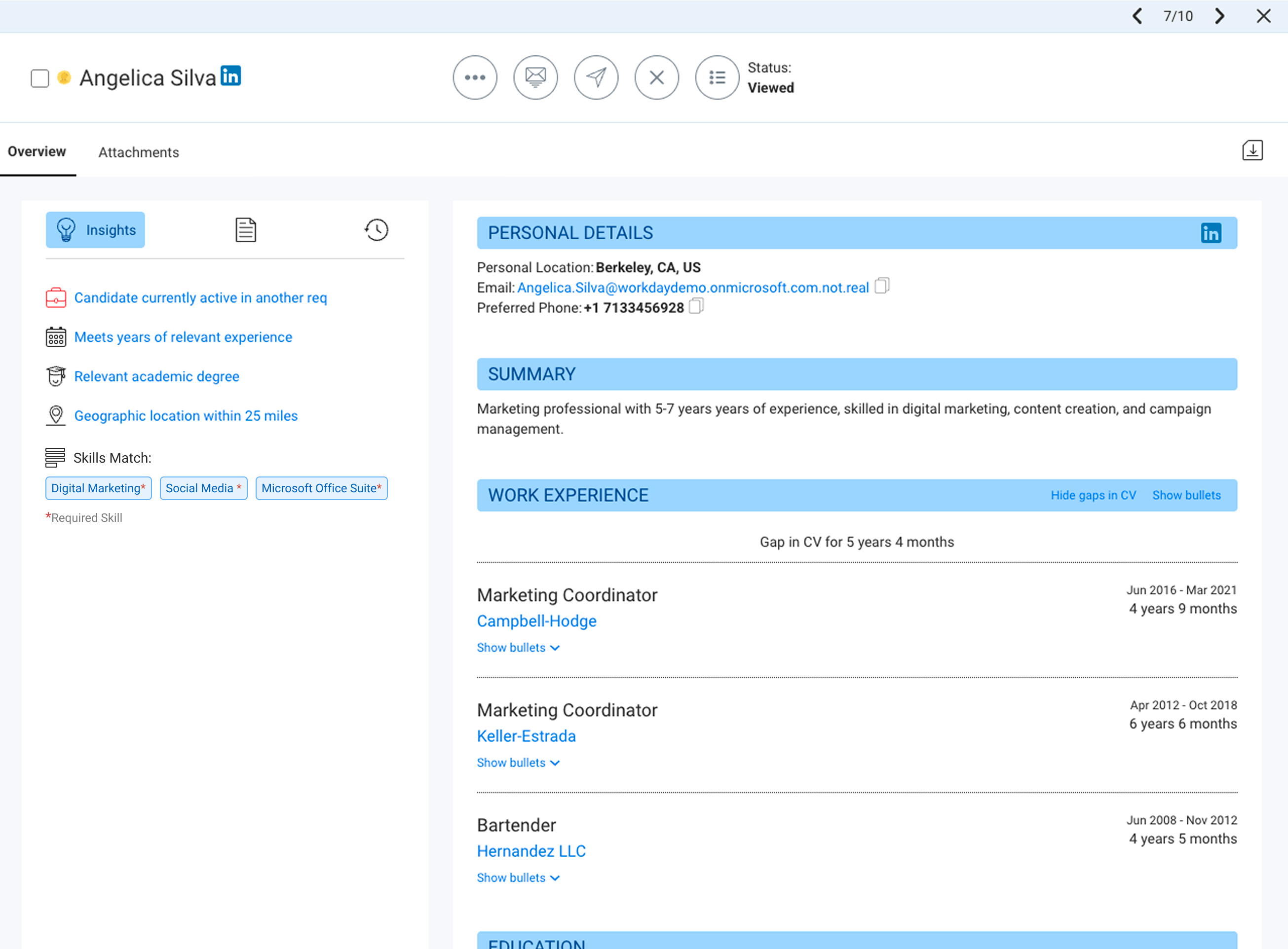
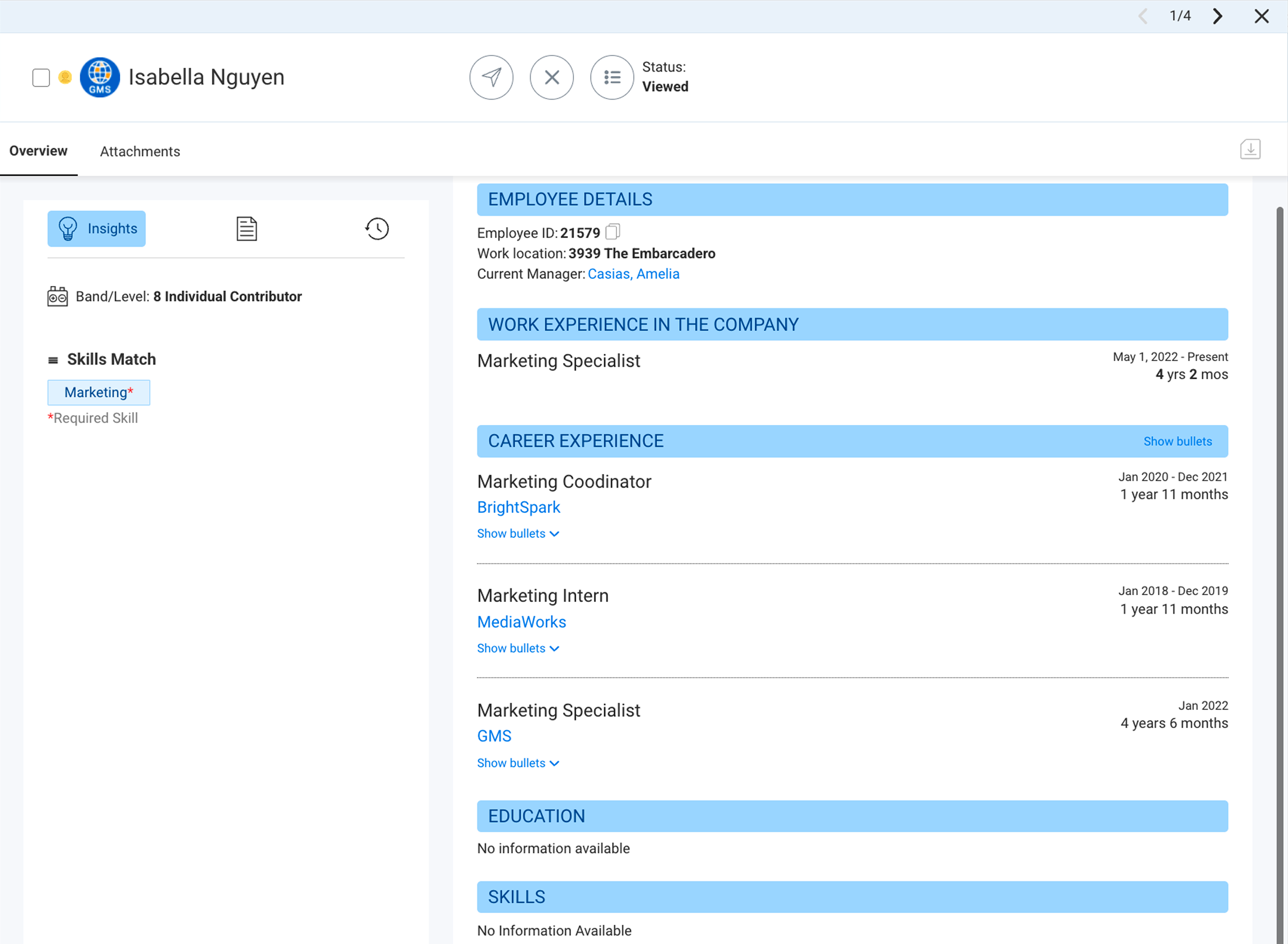
- The Fetch, Internal Fetch, and Embedded Fetch UIs now display a Skills Matching insight that provides detailed skills matching information on the profile.
- These insights help recruiters understand candidate fit by highlighting any overlap between their profile and a role's required and preferred skills.
The following images display Skills Matching insights in Fetch and Internal Fetch:
- Intelligent Skills Filtering
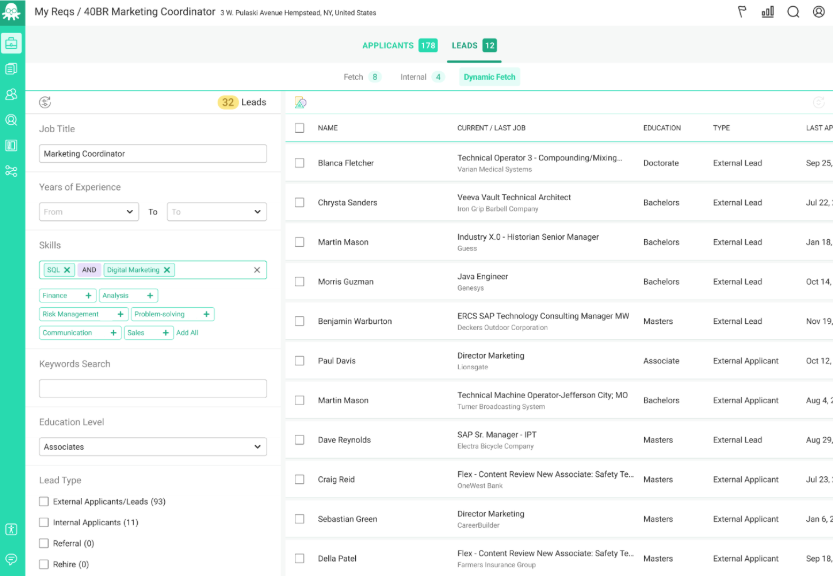
- A new Dynamic Fetch Skills filter can now use the Workday Skills Cloud taxonomy for its suggestions and logic. Contact Workday Support to enable it.
- This update improves candidate sourcing by taking both enriched requisition data and candidates’ mapped skills into account.
- Note:This enhancement will replace the legacy HiredScore taxonomy filter and is a background process that doesn’t impact your existing workflows or system performance.
What's Coming Next?
In a future release, we plan to add support for skill insights in Spotlight. The HiredScore Spotlight Grading algorithm will incorporate the Workday Skills Cloud and enriched data when calculating candidate grades.
Setup: What do I Need To Do?
- Fetch Skills Insights Boost
- You can boost this feature to display it across all of your Fetch leads (not only new leads) by engaging with Workday Support. Your implementer performs a background historical data refresh, which you can extend beyond the default time period of January 2025 to the present upon request.
- Dynamic Fetch Filter Activation
- Contact Workday Support to enable the new Dynamic Fetch skills filter for your account.
What Happens If I Do Nothing?
- Internal Fetch
- Skills insights display automatically.
- Fetch
- Skill insights will only display for new leads that apply after the feature is enabled. Existing leads in Fetch aren’t updated. Over time, more leads will display insights as new applications are received, but a historical data refresh by Workday Support is required to backfill all previous leads.
- Note:Workday gradually runs historical data refreshes for all customers. To expedite this process, contact Workday Support.
- Dynamic Fetch Filter
- The existing Skills filter displays. To enable the new filter based on the Workday Skills Cloud, contact Workday Support.
- Preview Date:
- 2026-03-14
- Production Date:
- 2026-03-14