
Reference: Icons in the Model Overview Canvas
Icon | Description |
|---|---|

| Standard account hierarchies, such as general ledger, custom, assumptions. Double-click this icon to link the hierarchies in Model Admin .For cube and modeled account hierarchies, you can double-click the sheet icons. See Concept: Accounts for more details on accounts. |

| Standard sheets. Double-click to review the sheet definition. You can link to various parts of the sheet definition in Model Admin . See Edit Standard Sheets. |

| Modeled sheets. Double-click to review the sheet definition. You can link to various parts of the sheet definition, including the account hierarchy, in Model Admin . See Concept: Modeled Sheet Building. |

| Cube sheets. Double-click to review the sheet definition. You can link to various parts of the sheet definition, including the account hierarchy, in Model Admin . See Concept: Cube Sheet Building. |
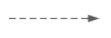
| Indicates an account is on a sheet. When it connects between a sheet and:
|

| Indicates connections between accounts through:
|