
Use Case: Set Up Auto-Contribution Increases for Retirement Savings
Audience
HR and Benefits professionals in these roles who are responsible for carrying out each step of the auto-enrollment process during a benefit event for retirement savings plan (RSP) changes:
- Benefits Administrator
- Benefits Partner
Overview
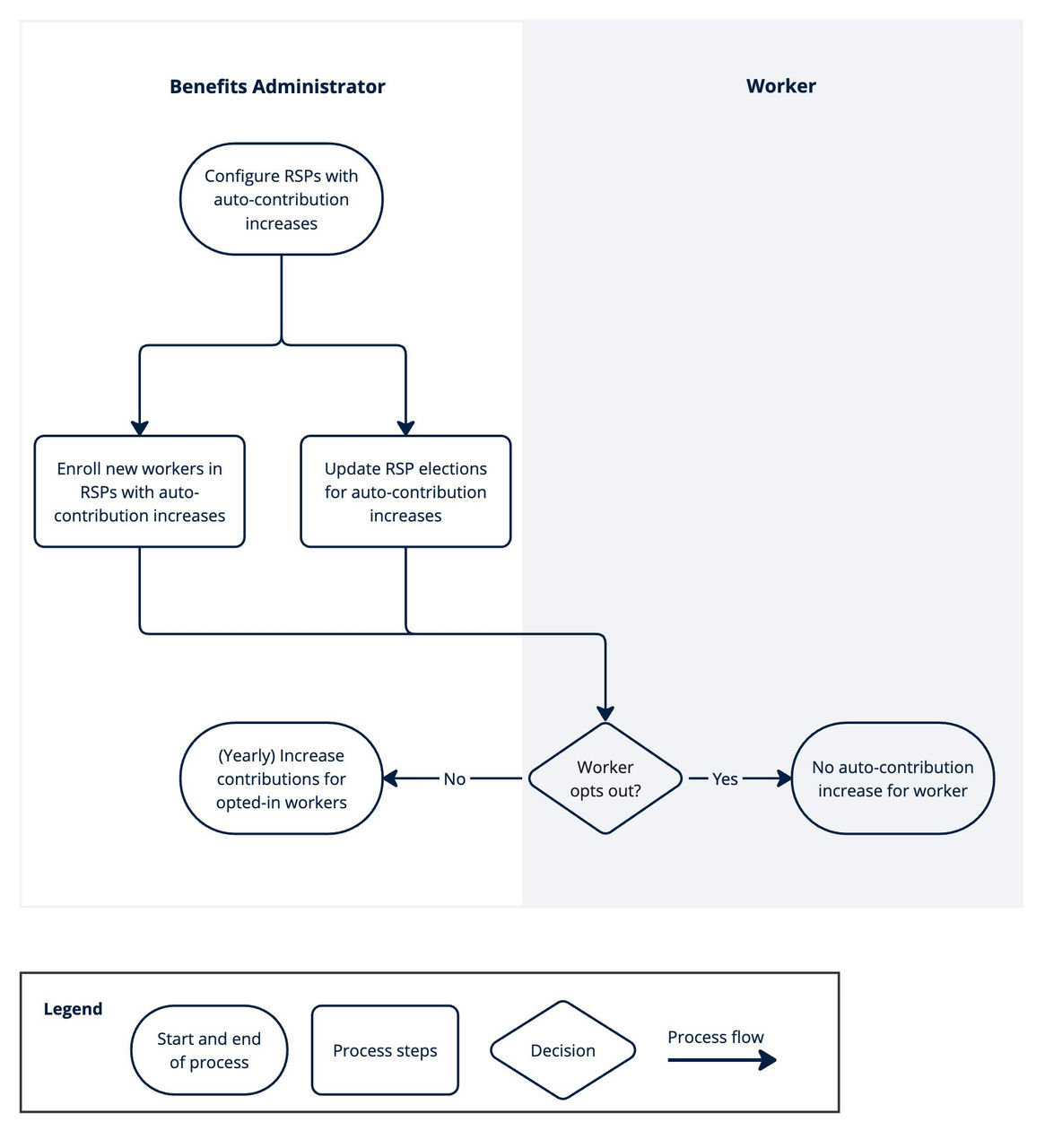
The U.S. Federal Secure Act 2.0 requires organizations to enable workers to automatically increase their retirement savings contributions each year. This use case provides an example of the process flows for enrolling and enabling new and existing workers, and providing the opt-out option during the benefit event. This use case applies to retirement savings plans managed in Workday only. Your process might consist of different tasks or workflows.
Impacted Product Area
Benefits Retirement Savings Accounts
Workday Documentation Resources
For detailed information, see Steps: Set Up Auto-Contribution Increase for Retirement Plans.
For more information, see: