
Use Case: Create Learning Security Segments
Audience
Administrators and Learning & Development professionals who are responsible for carrying out each step of the process for configuring and maintaining access to learning content in Workday:
- Workday Security Administrators
- Learning Management System Administrators
Your organization might use different names for these roles.
Prerequisites
Security: These domains in the Learning Core functional area:
- Set Up: Learning Security Segments
- Set Up: Learning Catalog
Overview
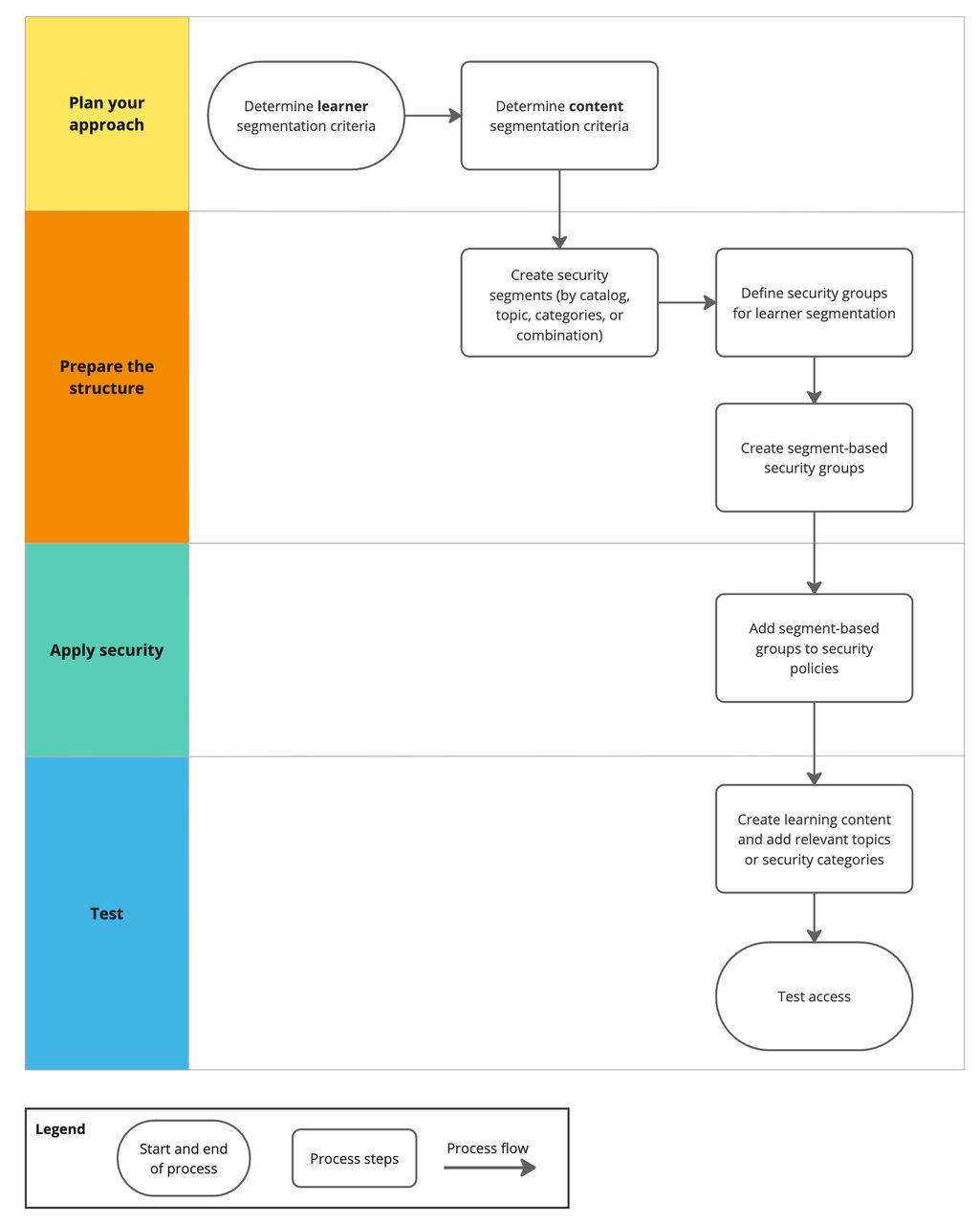
Learning Security Segments help you control access to learning content based on specific criteria. This use case provides an example of the process flow and the area in Workday where you carry out each step. Your process might consist of different tasks or workflows.
Security Considerations
- Workday Learning content uses security categories, topics, and catalogs to provide granular control.
- When you assign a security category to a course or program, the associated security group determines user access. Applying a security category to a course makes it the primary security method, overriding any topic or catalog-level security settings.
- Learning topics receive security segments from their assigned catalogs by default. However, if a topic defines its own security segments, these will always take precedence.
- When you have a large number of segment-based security groups with common access requirements, you can create aggregation security groups that include the segment-based security groups and assign permissions to the aggregation security group instead. See Create Aggregation Security Groups.
Impacted Product Area
Learning
Workday Documentation Resources
For detailed information, see Setup Considerations: Segmented Security for Learning.
For more information, see: