
Concept: Position-Based Shifts
You can configure time shift options to record shifts by position. When you configure position-based shifts on workers’ time entry templates, Workday creates a shift for each position that workers enter time for. If a shift for Position A is interrupted by time entered for Position B, Workday splits the time into separate blocks for each position.
When using shift date in time calculations, use either:
- Worker-based shifts with worker-based calculations.
- Position-based shifts with position-based calculations.
Workday recommends that you don't mix configurations.
Example: A worker has 2 positions. Their time entry template has this configuration in the
Time Shift
section:
Option | Configuration |
|---|---|
Time Shift Options
| Custom
|
Maximum Duration for Out
| Hours:
4
|
Maximum Duration for Meal
| Hours:
4
|
Maximum Duration for Break
| Hours:
4
|
Group Time Blocks for Shift Based On
| Begin of Shift
|
Position Based Shifts
| Select. |
The worker enters this time for Position A:
- Monday, February 9 from 22:00 to Tuesday, February 10 at 03:00
- Tuesday, February 10 from 06:00 to 10:00
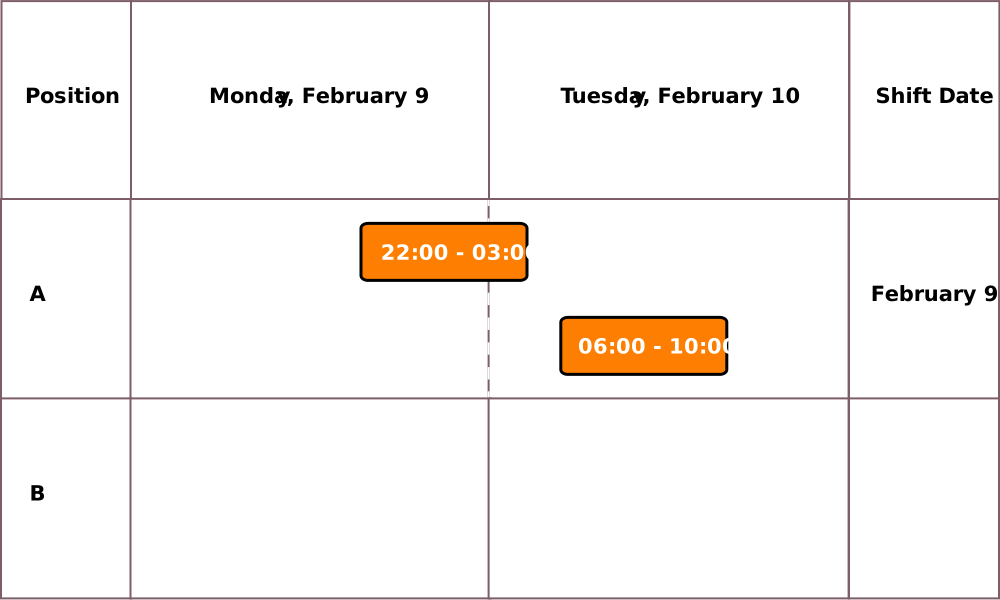
The 2 blocks form a shift for Position A, and Workday applies the shift date of Monday, February 9, to both blocks.
The worker then enters time for Position B on Tuesday, February 10, from 13:00 to 17:00.
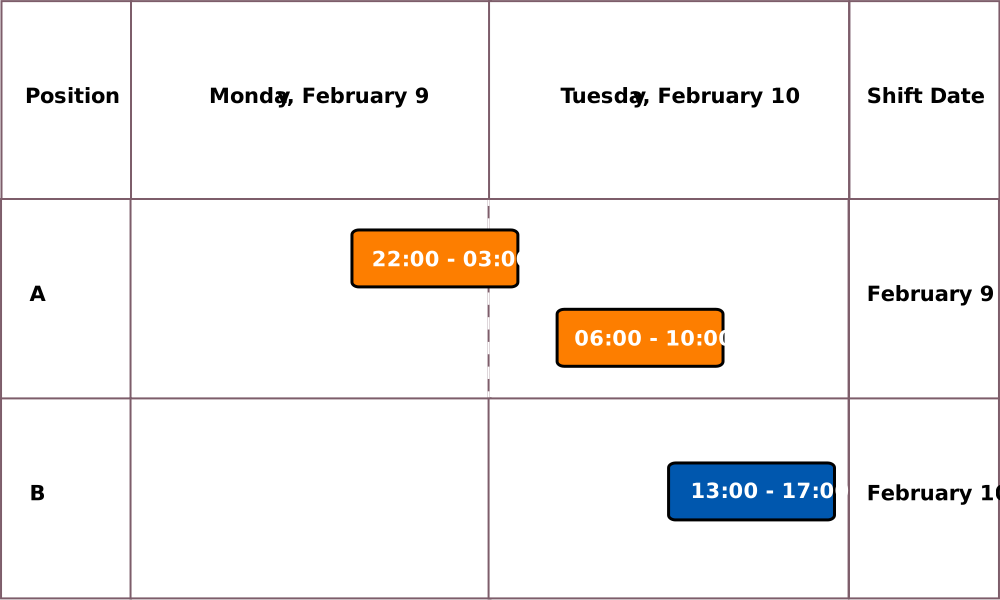
Workday doesn't combine this block with the Position A shift on February 9. Instead, Workday applies a shift date of February 10 to the time for Position B.
The worker then enters time for Position B on Tuesday, February 10, from 04:00 to 05:00.
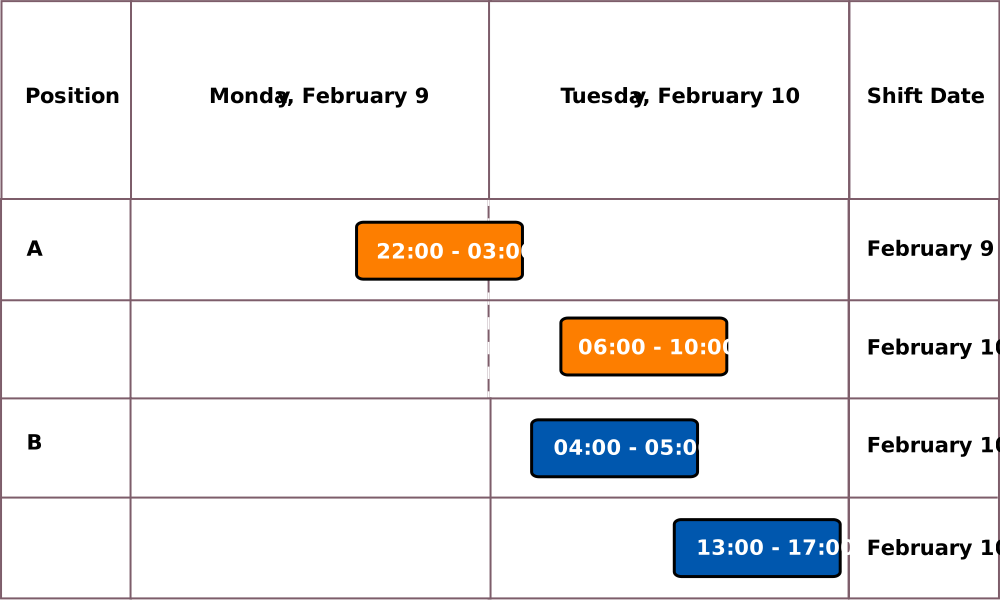
Workday breaks up the single shift that it previously created for Position A into 2 blocks with these shift dates:
- February 9
- February 10
Workday applies a shift date of February 10 to both Position B shifts.