
Referência: operadores e funções para formatação condicional
Regras de sintaxe
Sintaxe básica:
first-expression comparison-operator second-expression
.
Exemplo: ([Quick Ratio] - 10) * 2 >= 19
- Uma expressão pode fazer referência a qualquer série de dados no gráfico, incluindo dados de uma conta, um cálculo ou uma métrica personalizada. Você deve incluirnome da série de dados (não código) ou nome do cálculo entre parênteses. Exemplos:[1000 Assets],[QuickRatio]. Tnome da série de dados exibe in Configurações de dados:
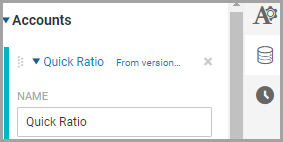
- Workday evaloresexpressões da esquerda para a direita; expressões entre parênteses calcular primeiro.
Comparação
Operator | Description | Syntax |
|---|---|---|
= | Checks if two values are equal. | [metric1] =
[metric2] |
<> | Checks if two values are not equal. | [metric1] <>
[metric2] |
< | Checks if the left value is less than the right value. | [metric1] <
[metric2] |
<= | Checks if the left value is less than or equal to the right
value. | [metric1] <=
[metric2] |
> | Checks if the left value is greater than the right value. | [metric1] >
[metric2] |
>= | Checks if the left value is greater than or equal to the right
value. | [metric1] >=
[metric2] |
BETWEEN | Checks if a value is between two other values. Minimum and
maximum values are included in the range. Use with the
AND operator. | [metric1] BETWEEN 0
AND [metric2] |
NOT BETWEEN | Checks if a value is not between the two other values. Minimum
and maximum values are included in the range. Use with the
AND operator. | [metric1] NOT BETWEEN
0 AND [metric2] |
AND | Compares two expressions and returns true if both expressions are
true. | ([metric1] >=
[metric2]) AND ([metric1] >= [metric3]) |
OR | Compares two expressions and returns true if either expression is
true. | ([metric1] >=
[metric2]) OR ([metric1] >= [metric3]) |
Matemática
Use operadores matemáticos com as expressões.
Operator | Description | Syntax |
|---|---|---|
+ | Adds two values. | [metric1] +
[metric2] |
- | Subtracts two values. | [metric1] -
[metric2] |
/ | Divides two values. | [metric1] /
[metric2] |
* | Multiplies two values. | [metric1] *
[metric2] |
% | Calculates the remainder (modulus) when dividing two
values. | [metric1] %
[metric2] |
^ | Raises the value on the left to the power of the value on the
right. For example, 5^ 2 = 25. | [metric1]
^2 |
Funções de cálculo
Function | Description | Example |
|---|---|---|
min( expression ,
expression ) | Returns the smallest value of two expressions. | min([metric1],
[metric2]) |
max( expression ,
expression ) | Returns the largest value of two expressions. | max([metric1],
[metric2]) |
sin( expression ) | Returns the sine of a metric or expression. Used in
Trigonometry. | sin([metric1]) |
cos( expression ) | Returns the cosine of a metric or expression. Used in
Trigonometry. | cos([metric1]) |
tan( expression ) | Returns the tangent of a metric or expression. Used in
Trigonometry. | tan([metric1]) |
abs( expression ) | Returns the absolute value of a metric or expression. Use to
convert negative numbers to positive numbers. | abs([metric1]) |
sqrt( expression ) | Returns the square root of a metric or expression. | sqrt([metric1]) |
round( expression ) | Rounds a numeric value to the nearest whole number. The
mid-point is rounded up. Examples:
| round([metric1]) |
round( expression ,
digits ) | Rounds a numeric value to a specified number of digits.
Positive digits round to the specified number
of decimal places. Negative digits round to
the nearest multiple of 10. Examples:
| round([metric1],
1) |
floor( expression ) | Returns a numeric value rounded down towards zero.
Examples:
| floor([metric1],
2) |
floor( expression ,
expression ) | Returns a numeric value rounded down towards zero, to the
nearest multiple of significance. Examples:
| floor([metric1],
2) |
ceiling( expression ) | Returns number rounded up away from zero. Examples:
| ceiling([metric1]) |
ceiling( expression ,
expression ) | Returns number rounded up, away from zero, to the nearest
multiple of significance. Examples:
| ceiling([metric1],
2) |