
Adaptive Planning
Last Updated: 2023-06-23
Concept: Report Elements

Concept: Report Elements

Report elements are accounts, levels, time, versions and so on. They are stored as separate lists in the Elements pane. Expand element lists to reveal the items you can add to the report.
To return to the main list of elements, click
Back to Elements
or the list drop-down:
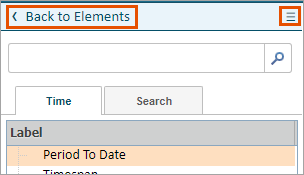
Back to element list
Enter keywords to find elements and drag them directly from the search results.
Element
Description
Accounts
Includes all accounts of all types. At least one account is required in a Matrix report.
Time
Includes all time periods in the current model and the following special time elements:
  • Period to Date: Used to quickly specify the time strata and period to date of your choice. By default, the root stratum is selected.
  • Timespan: Used to quickly specify a range of time periods.
  • Versions. A a default, the time range covered in a report is based on the time range covered by all the versions in the report.
  • From/to: Used to select a range of any two leaf time periods in your structure.
  • Includes: Used to select the time strata for value aggregation, typically Month, Quarter and Year. If you are using a custom calendar or alternate calendars, all of your time strata appear as choices.
If no time period is specified in a report, all months in the report version's time range are included by default.
Levels
Includes all levels visible to you. If no levels are specified on a report, the default is to use all levels visible to the person running the report.
Versions
Displays all versions visible to you, including Actuals. If no version is specified, the current working version of the person running the report is used by default.
Currencies
Displays all currencies that are configured in your instance. If no currency is specified, the default currency is used based on the following rules:
  • If your report contains data from only a set of levels that are in the same currency, the currency for the levels is the default.
  • If the report contains levels with different currencies, the Corporate Currency is the default.
Display As
Allows you to display numbers as:
  • Value: Display the numbers as their normal values.
  • % of Account: Display as the percentage of a selected account in the Account tree.
  • Custom: Allows accessing the Formula Assistant to create expressions that evaluate at the current intersection. This Formula Assistant is not restrained to the elements on the report. A Custom element can be placed on the same tier as the Display As % of Account element. It is possible to write an IF expression to generate values in a single column using different formulas on different rows.
Account Attributes
Includes all account attributes in the current instance.
Level Attributes
Includes all level attributes in the current instance.
Dimension Attributes
Includes all Dimension Attributes in the current instance.
Dimensions
Includes all Dimensions in the current instance.
Calculations
Includes mathematical calculations for creating subtotals of the numbers for other dimensional elements:
  • The subtotal of other elements
  • The difference between the numbers of two other elements
  • A method for establishing custom calculations for elements of a dimension.
All of the calculation options apply within a report tier and do not cross tiers within a report. See Report Calculations for more information
Reusable Reports
Report Building Blocks: Includes all reports the user has access to that have been flagged as Reusable Reports.