Update OfficeConnect
When
OfficeConnect
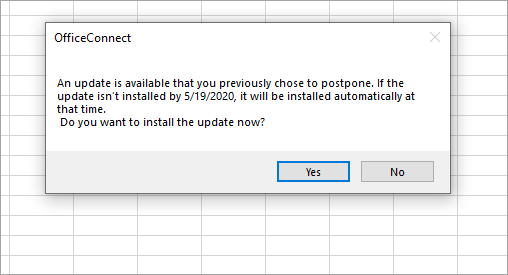
releases a new update, users and administrators are prompted to install the update by a certain date after logging in to OfficeConnect
or Excel Interface for Planning
. This article provides general guidelines for updates based on permission set and installation type. See Install OfficeConnect as an End User or Install OfficeConnect as an Administrator.High priority updates can have shorter deadlines. See Product Downloads for update deadlines.
Per-User Updates
Each user can update without administrative permissions, or, if preferred, IT can silently install updates for multiple users. Promptly install the update before the deadline noted in the prompts. For per user installs, the grace period end date is the earlier of either 45 days from the update notification or 90 days from the release date.
Per-Machine Updates
As an administrator, you are prompted to install the update by a certain date. For per machine installs, the grace period end date is 90 days from the release date. Users
with
administrative permissions are notified every time they log in. Users without
administrative permissions are notified only
for the last 15 days. Update Prompts
After a new version of
OfficeConnect
is released, update prompts appear for users only
after they log in. For per-user installs, the prompts appear once every day. For per-machine installs, the prompts appear the last 15 days before the grace period end date.Daily Prompt (Per-User Installation)
For per-user installs, the next day after a new version is available, a prompt appears for logged-in users to upgrade. You can select
Yes
or No. If you keep postponing the update, the prompt appears daily until the grace period end date.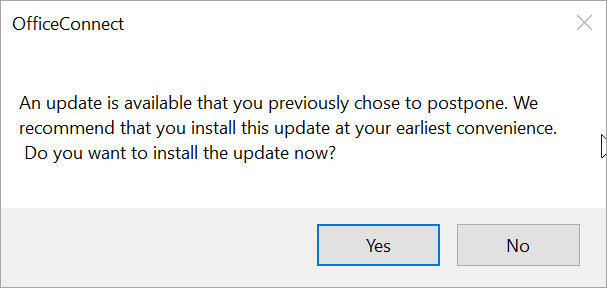
Prompt Before Grace Period Ends (Per Machine Installation)
For per-machine installs, an upgrade prompt first appears 15 days before the grace period end date. After that, the prompt appears daily for the last 15 days after the user logs in.