Kalenderzeitcodes zeigen Zahlen anstelle von Datumsangaben an
Dieser Artikel enthält Vorschläge und Behelfslösungen. Der Inhalt ist möglicherweise nicht für alle Anwendungsfälle anwendbar oder entspricht nicht den besten Tätigkeiten für das neueste Release.
Frage
Ich aktualisiere meinen Kalender und sehe nach dem Import, dass meine Zeit Zahlen anstelle von Datumsangaben anzeigen.Antwort
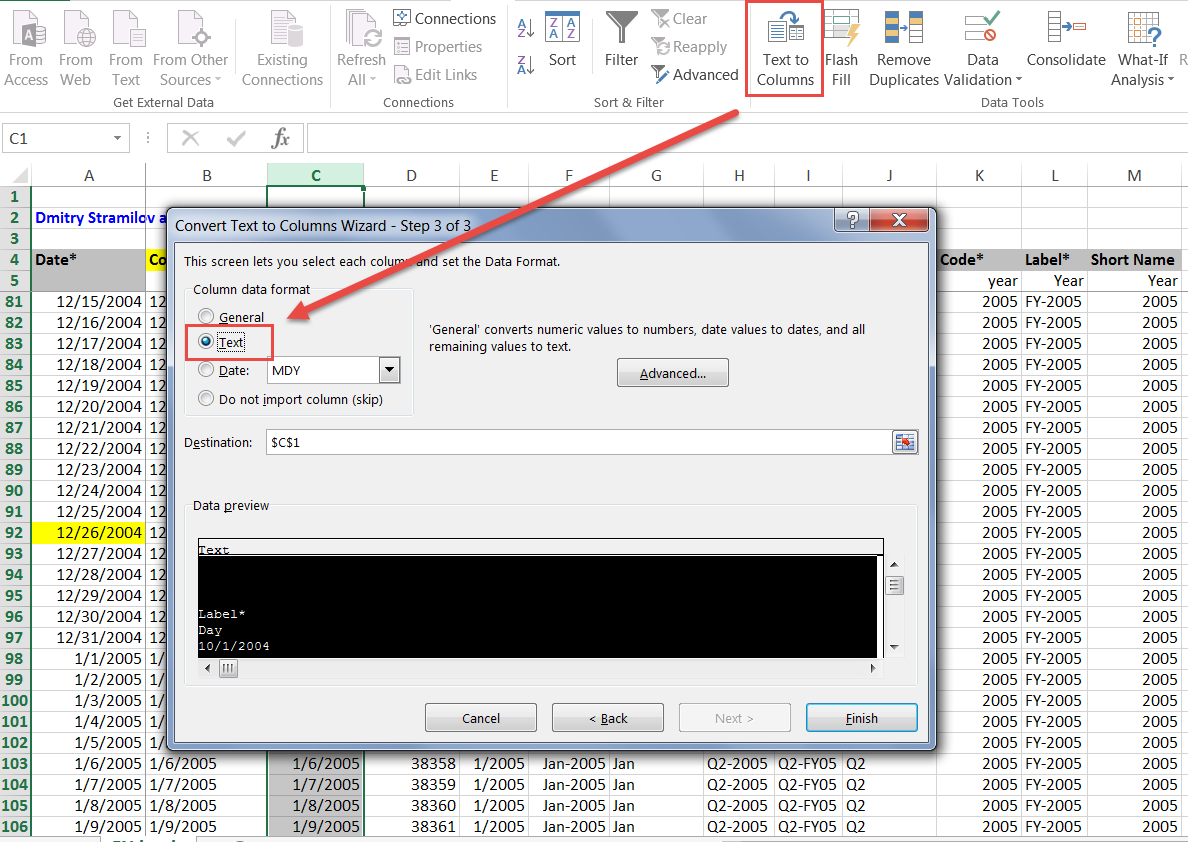
Dies kann vorkommen, wenn die Code-Spalte als Datum formatiert ist, da die Importfunktion das Excel-Datumsformat in den numerischen Wert von Excel für die Datumsangaben konvertiert. Um dies zu korrigieren, können Sie die Spaltenwerte in Text konvertieren und dann den Import erneut ausführen. Eine einfache Möglichkeit besteht darin, die Option „Text in Spalten“ in Excel zu verwenden.