
Get Started with Workday Live Data Query
You might need to take additional steps to enable this feature depending on your organization's subscription service agreement. For more information, see this Community article.
Overview
Workday Live Data Query (LDQ) enables real-time SQL access from external systems to Workday's core business objects without using ETL or data replication. External clients query data within Workday on demand through a JDBC or Python driver.
Live Data Query Setup
Authentication
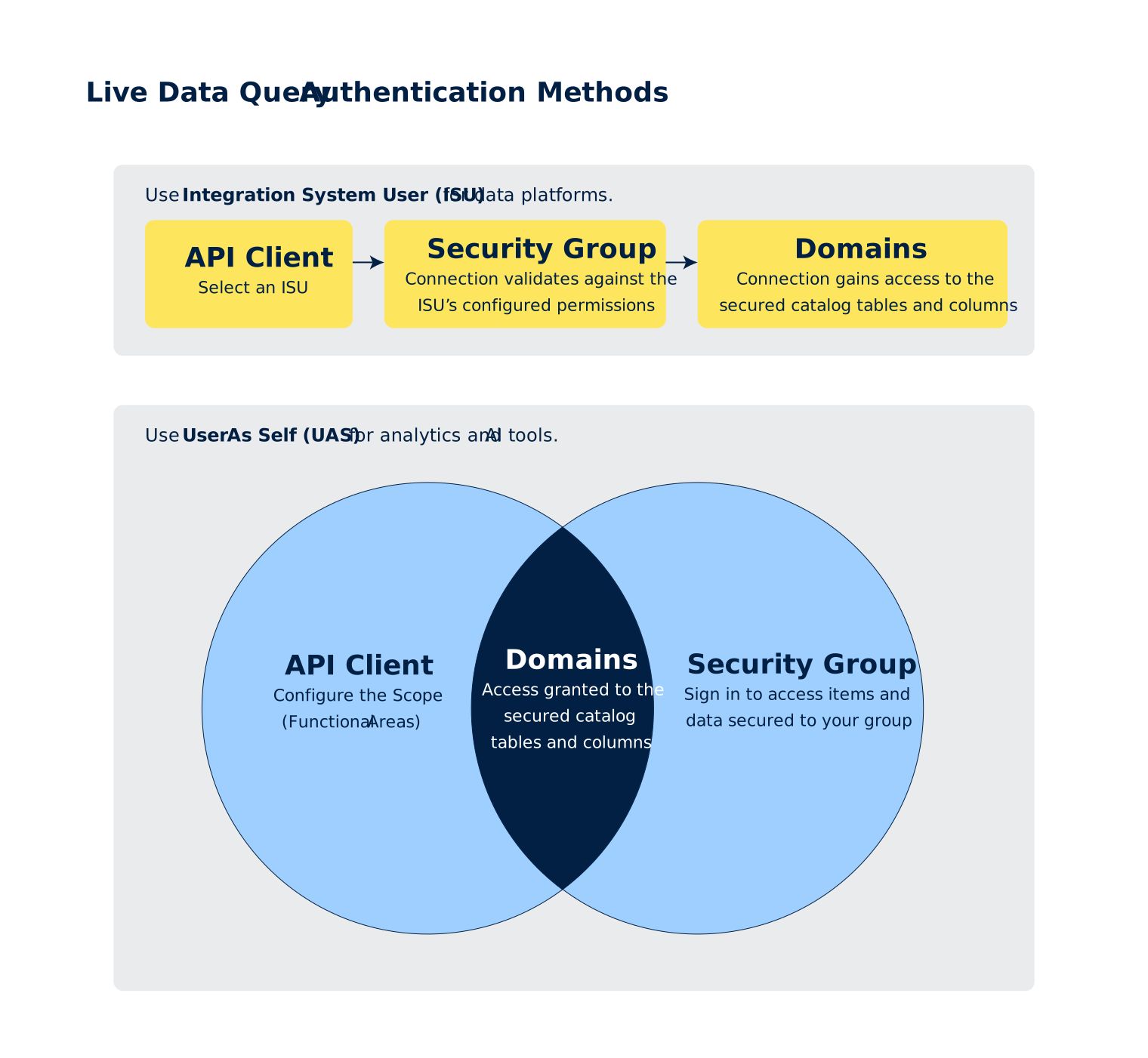
You can set up your LDQ connection with either of these authentication methods:
Integration System User (ISU) | User As Self (UAS) | |
|---|---|---|
Description
| Allows the external system to authenticate as a dedicated, non-person system account. Access to data is limited to the tables and columns authorized for the ISU through domain permissions. | Allows the external system to read data on behalf of a Workday user. Enforces Workday's full security model, including row-level controls and contextual security, based on the permissions of the user who authorizes the connection. |
Security Scope
| Tables, Columns | Tables, Columns, Rows, Cells, Contextual Security |
Security Controls
| Unconstrained security groups > Domain permissions |
|
OAuth Mechanism
| Public/private key pair. | Client ID, client secret, and browser-based login. |
Suggested Usage
| Data platforms (Example: Snowflake) |
|
External Client Setup
Live Data Query offers these combinations of external clients and drivers:
External Client | Driver | Setup Instructions |
|---|
To download the drivers, see Live Data Query Downloads.
It’s possible to use LDQ drivers in clients other than those documented here.
Using Live Data Query
After you’ve established a data connection from the external client with the driver, you can run SQL statements to query Workday data. See Query Workday Data Using Live Data Query.
Guardrails and Limitations
- These guardrails and limitations are subject to change:Maximum ValueQuery Runtime (Execution)30 minutesQuery Runtime (Queueing, Execution, Data Out)60 minutesQuery Concurrency (Per Tenant)90 queriesQuery Concurrency (Per Environment)100 queriesQuery Queue Length (Per Tenant)800 queriesQuery Queue Length (Per Environment)1000 queriesMemory per Query20 GBQuery Request Size (SQL Length)1,000,000 charactersQuery Response Size (Per Chunk)16 MBQuery Response Size (Total)No limitQuery Response Cells (Rows, Columns)No limit
- Available objects are currently limited to Workforce and Talent. See Data Cloud Catalog.