
Use Case: Migrate Legacy Campaigns
Audience
Professionals responsible for the initial configuration and ongoing management of creating learning engagements, including these roles:
- Learning Administrator
- System Administrator
Prerequisites
- Audit your campaigns to identify eligible audiences and campaigns.
- Eligible audiences use advanced custom report types and are web-service enabled.
- Eligible campaigns have an end date that is:
- Current
- Blank
- Future
- Ensure your integration system user (ISU) has access to the audiences slated for conversion.
- Suspend the schedule for all active campaigns slated for migration to prevent overlapping processes.
- Create a new template using Notification Designer, which you attach to every notification selected during the migration process. Migrated templates are read-only. See Create and Activate Notifications.
- Do not start a migration immediately before or during scheduled system maintenance.
- Security:Manage: Campaign Migrationdomain in the System and Learning Core functional areas.
Overview
You can use the
Migrate Legacy Campaigns to Engagement Builder
task to automate the transition of eligible audiences and campaigns to the Engagement Builder
report. This process retains historical setups, like message templates and translations, while adopting the Engagement Builder's cadence of 4 runs a day.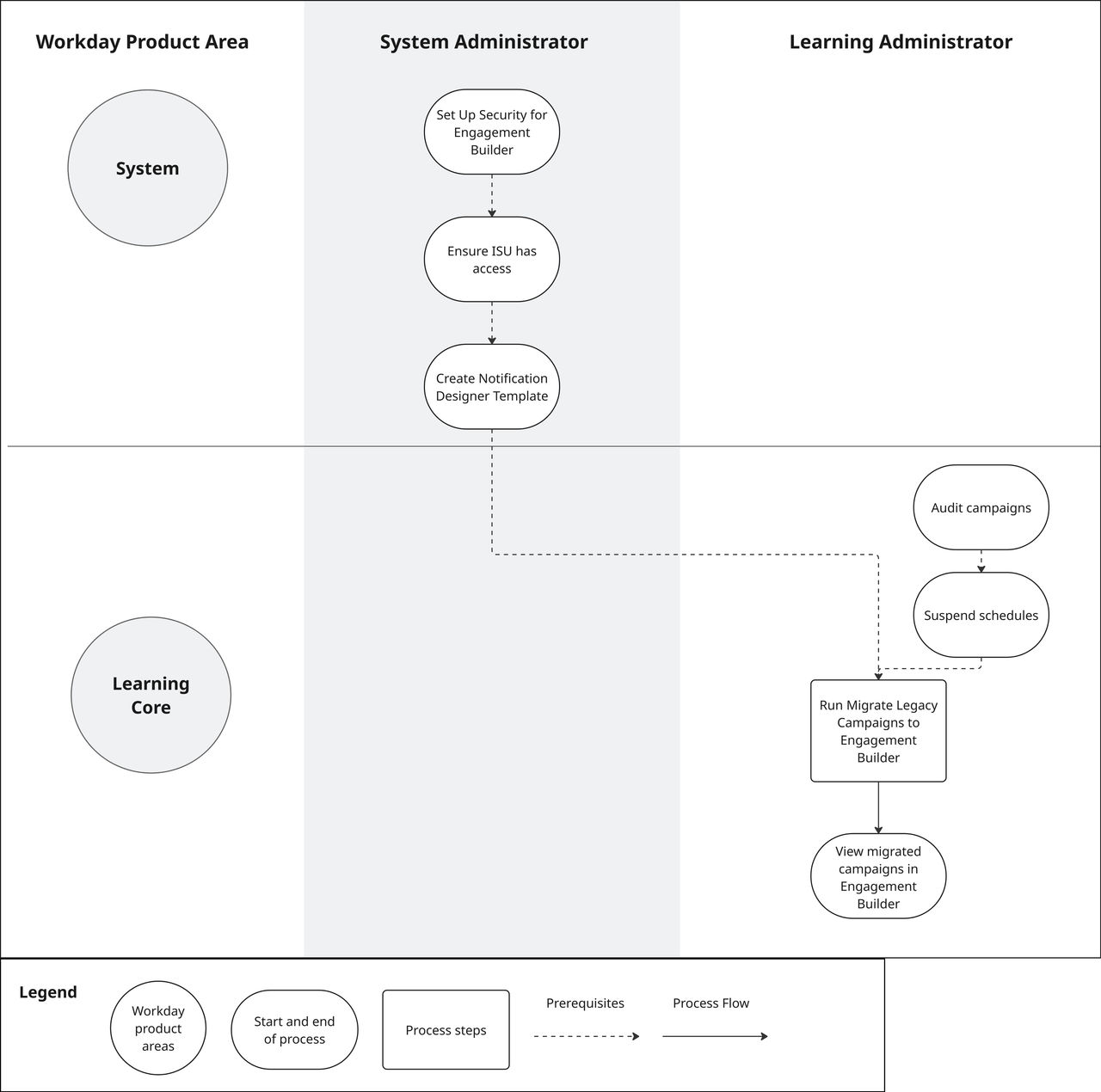
Impacted Product Areas
- System
- Learning Core
Workday Documentation Resources
For detailed information see Migrate Legacy Campaigns to Engagement Builder.