
Import Access Rules
- Security:Userspermission.
When you import the rules, you can either:
- Replace All.
- Update and Append.
- Select Administration from the main menu.
- Click Access Rules.
- From the toolbar, select Import.
- Select:
选项 描述 Replace AllDeletes all existing rules and adds the rules that are in your template.Update and Append- Replaces corresponding rules for users or groups with existing rules. Example: You add one rule in the template for theAccountantsgroup.Update and Appendreplaces all the existing rules for theAccountantgroup with the one new rule. If you intend to add an additional rule to this group, export the existing rules and then add one more rule. The import then includes the existing rules as well as the new rule.
- Adds rules for new users or groups. Example: The template only has rules for new users or groups that before had no rules.Update and Appendadds the new rules and leaves all existing rules as-is.
- Drag and drop your saved file into the square or click anywhere in the square and select your saved file.
- If you get an error message, click the Download Report link beneath the error message.
- Open the file and open the Errors sheet.Rows with errors are yellow. The error messages appear in the cells in red text.
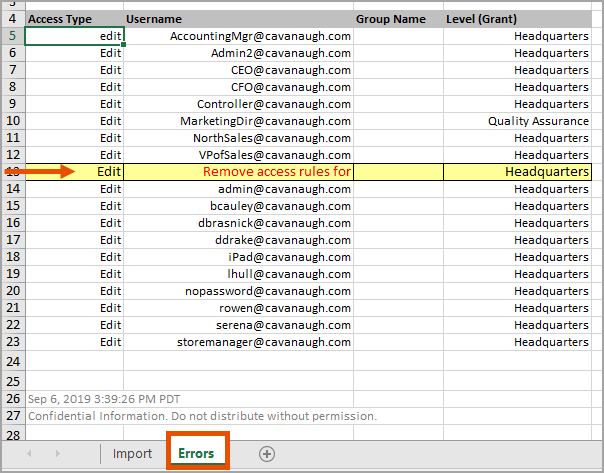
- Click the cell with the error to read the full message.
- Open the Import sheet and find the corresponding rule. It's on the same row as the error is in the Errors sheet.
- Correct the error and save the file.
- Try importing again.
The rules on the screen look the same as the rules in the template. Each dimension has 2 columns: 1 for grants and 1 for grant all except. When a level column is blank, it means that the rule gives no access to any levels. When the account or custom dimension columns are blank, it means that the rule gives access to
all
the accounts and custom dimension values. Work with your team to see how the new access rules affect them. Refine the rules as needed.