Concept: Access Rules at Work in Cube Sheets
VP of Sales, the Norther Region Manager, and the Store Manager add and review data in the Revenue cube sheet. They each have access to different intersections of data. The Revenue sheet looks different for each user.
The VP of Sales
The VP of Sales can edit all accounts, customers, and products at the
Sales
level only. The only levels that display in the columns are the Sales
levels.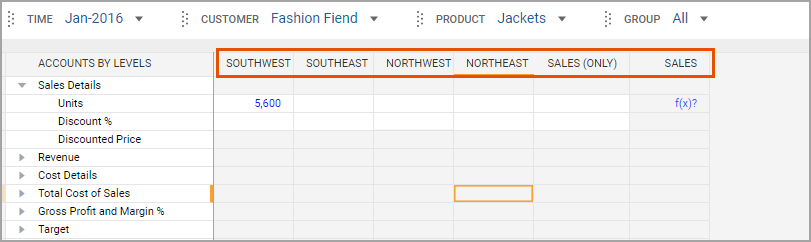
The North Region Manager
The North Region Manager can view all the accounts, customers, and products at the
Sales
level. The North Region Manager can only edit data for the Northeast
and Northwest
levels. All the Sales
levels appear in the columns, but only Northwest
and Northeast
are editable. The insert of the product drop-down shows all the products. 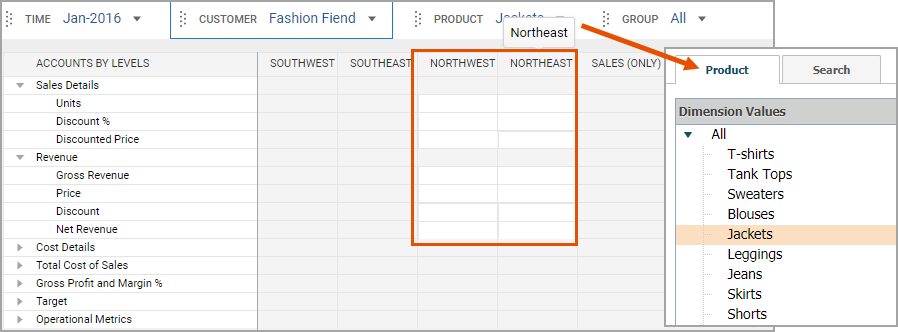
The Store Manager
The Store Manager runs a store for ski clothes in the Northeast region. The manager can only view and edit the
Northeast
level for the Units
and Discount
accounts: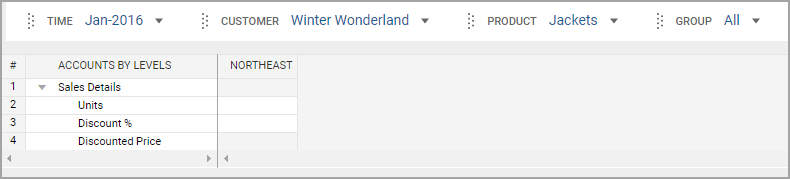
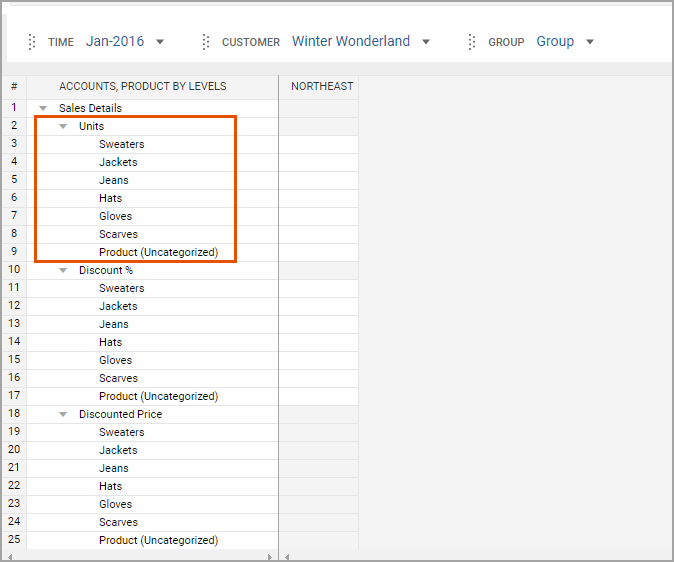
The Store Manager can only see products sold in the store. Nesting product dimension in the rows under accounts shows only the products sold in the store: