
Create an OfficeConnect that Contains Planning for Excel Sheets
Question
How can I create an OfficeConnect workbook that includes sheets from Excel Interface for Planning?
Answer
- Apply elements to the sheet from the OfficeConnect builder
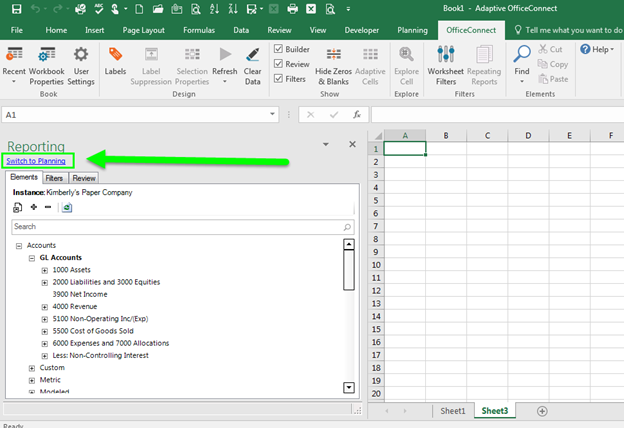
- Once you create your OfficeConnect report, click on a new sheet in the Excel file.
- Select Switch to Planning.
- Select your sheet, version, and level from Planning to create your Adaptive Planning for Excel tab.
- Save the workbook.