Add New Versions to Reports Parameters by Default
Question
How do I add new versions to report parameters by default?Answer
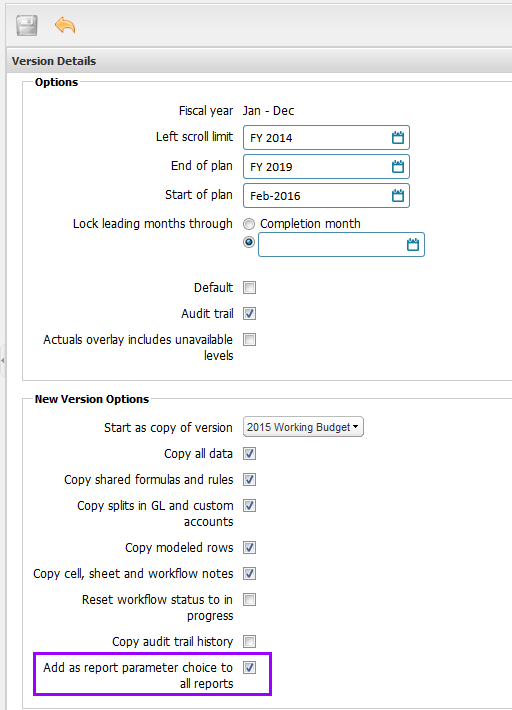
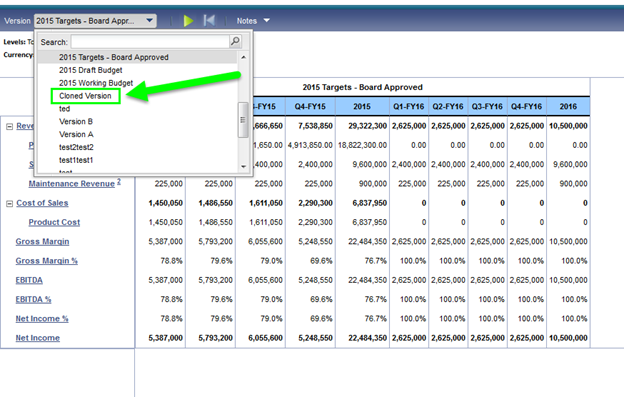
When administrators clone a version, the new version can be automatically added to report parameters. When the Add as report parameter choice to all reports check box is checked, the new version is added to all reports that have version as a parameter. When the check box isn’t checked, the new version is added to reports' parameters only if the source version is currently available within the parameter drop-down of the report. Previously, when the check box wasn’t clicked, a version wasn’t added to the reports' parameter.