Error: Formula Refers to Unacceptable Level
This article includes suggestions and workarounds. Content may not be accurate for all use cases or represent best practices for the latest release.
Question
I am inputting this formula at
the Marketing level: ACCT.Personnel.Headcount[level=Sales]
. When I view
this on a sheet, the cell is red. What am I doing wrong? Answer
The reason you are receiving this
error is because you are referencing data from the Sales level at the Marketing level.
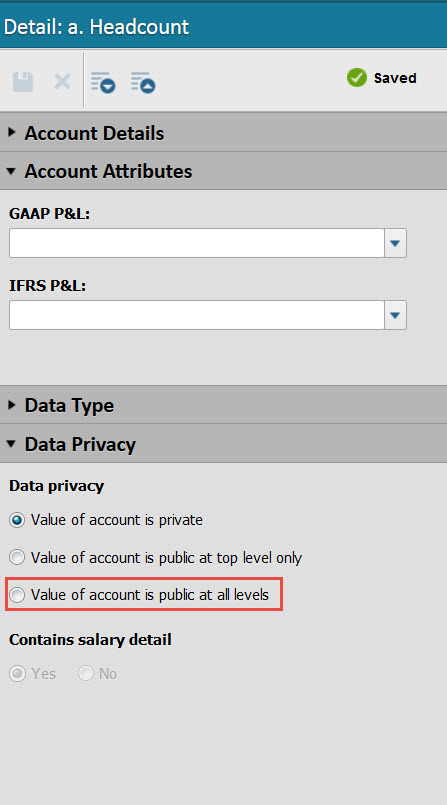
The default privacy setting for all accounts is private, meaning that the account is not
available for use in formulas written at other levels. In order to reference the
Headcount account from the Sales at the Marketing level, you will need to make the
Headcount account available at all levels. To do this, navigate to your Modeled Sheet
and change the data privacy setting from private to available at all levels for the
Headcount account. Once you do this, you should no longer see the error message and the
cell will no longer be red.For all other types of accounts, this can be done by
navigating to Modeling > Accounts.