Concept: Cube Sheet Building Quick Tour
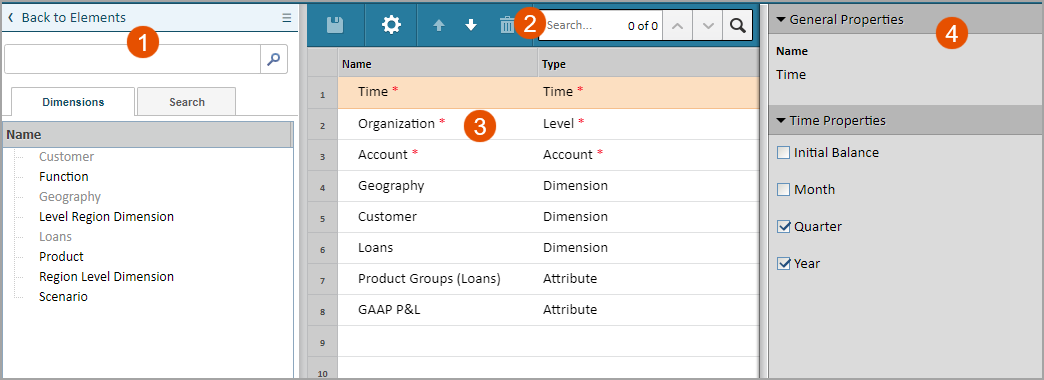
Cube sheets and merged cube sheets are designed for modeling complex forecasting. They can contain multi-dimensional data input across a specified set of dimensions. You'll use the cube sheet builder, a three pane user interface, to define your cube.
1 | Lists all the custom dimensions and attributes. Drag and drop them into the canvas to add them to the sheet. |
2 | Save the sheet, remove dimensions, get to the sheet properties. |
3 | Each row is a dimension on the sheet. You can't delete the ones with the red asterisk (*). |
4 | Select a row from the canvas to edit the settings of the element. Each element type has different settings available. |